












Digital Signage Alerts for Shared-Screen Employee Communication
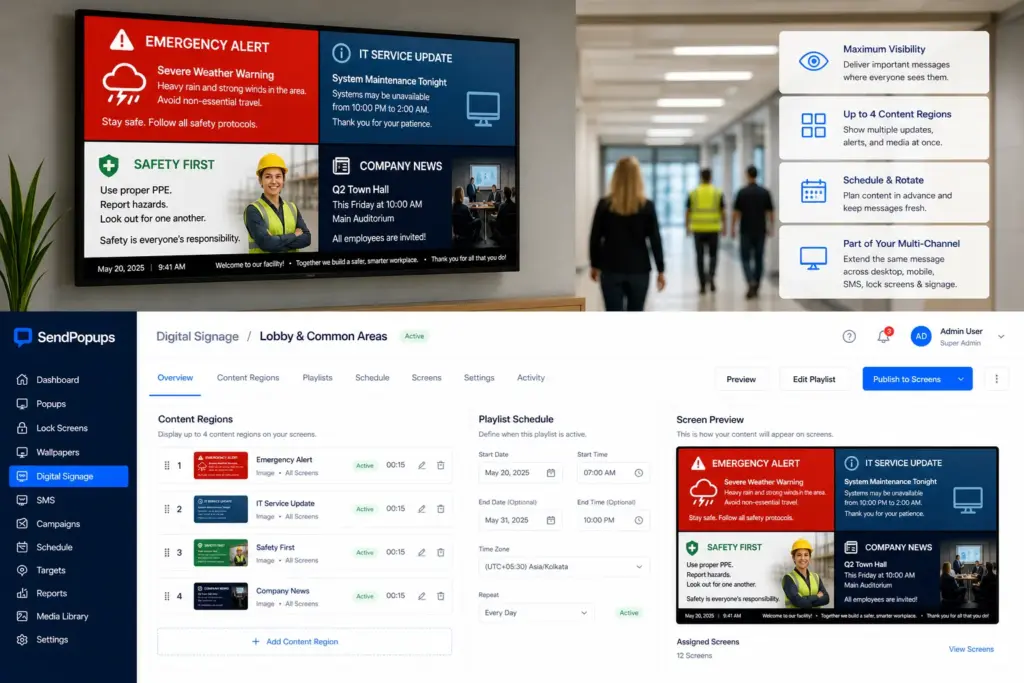
Use SendPopups digital signage as an additional internal communication channel for lobbies, hallways, production areas, reception spaces, and other common areas where employees may not see desktop alerts right away.
Extend urgent messages, IT notices, safety alerts, and operational updates to shared screens as part of a centralized multi-channel workflow.
Trusted by Organizations Worldwide


Extend Your Multi-Channel Communication with Digital Signage
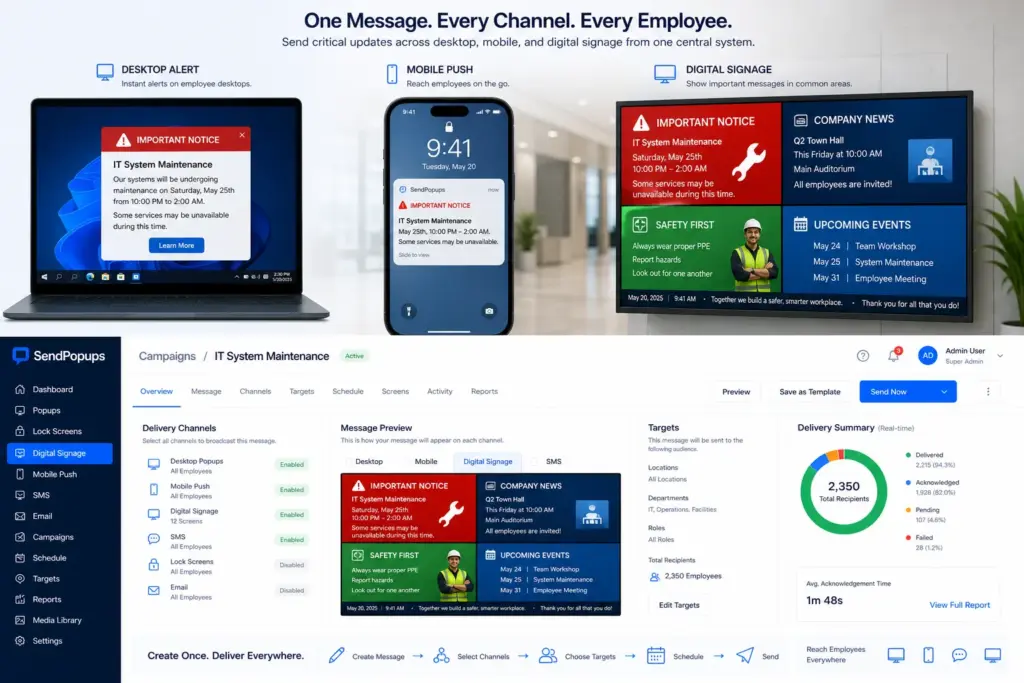
SendPopups can help organizations deliver critical messages across desktop screens, mobile phones, and TV displays from one central system.
Digital signage acts as an auxiliary channel for common areas, production spaces, lobbies, hallways, and reception points where employees may not have direct access to desk-based alerts.
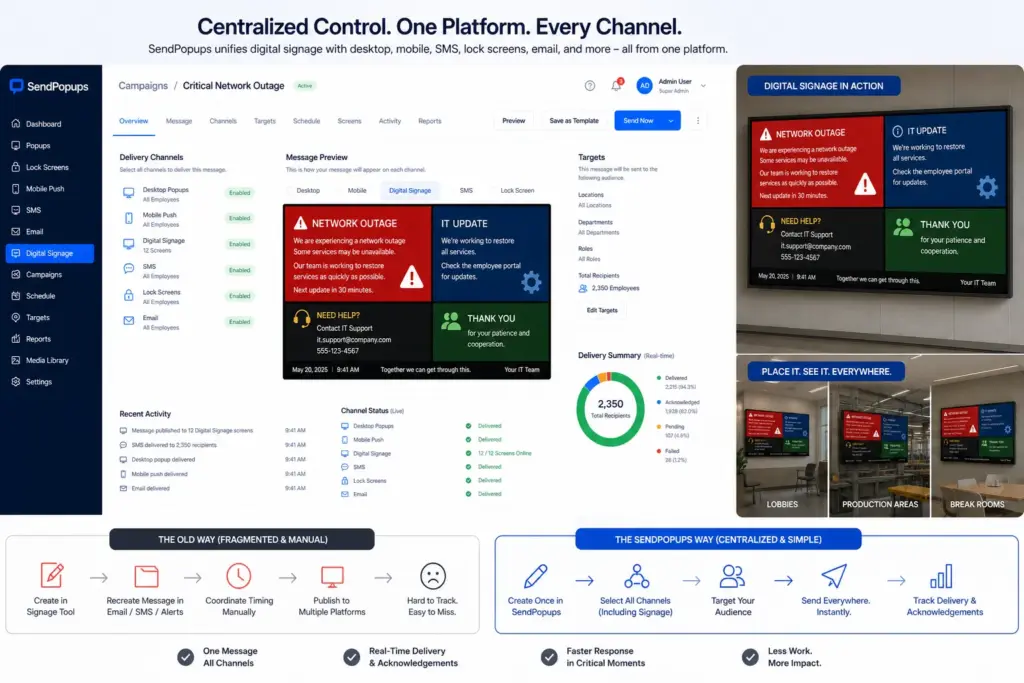
Centralized Control Instead of Fragmented Systems
Managing signage in a separate tool creates extra work. Teams would need to recreate messages, coordinate timing manually, and keep alerts aligned across multiple platforms.
With SendPopups, digital signage becomes just one more delivery channel within the same centralized communication workflow, reducing friction and helping teams respond faster.
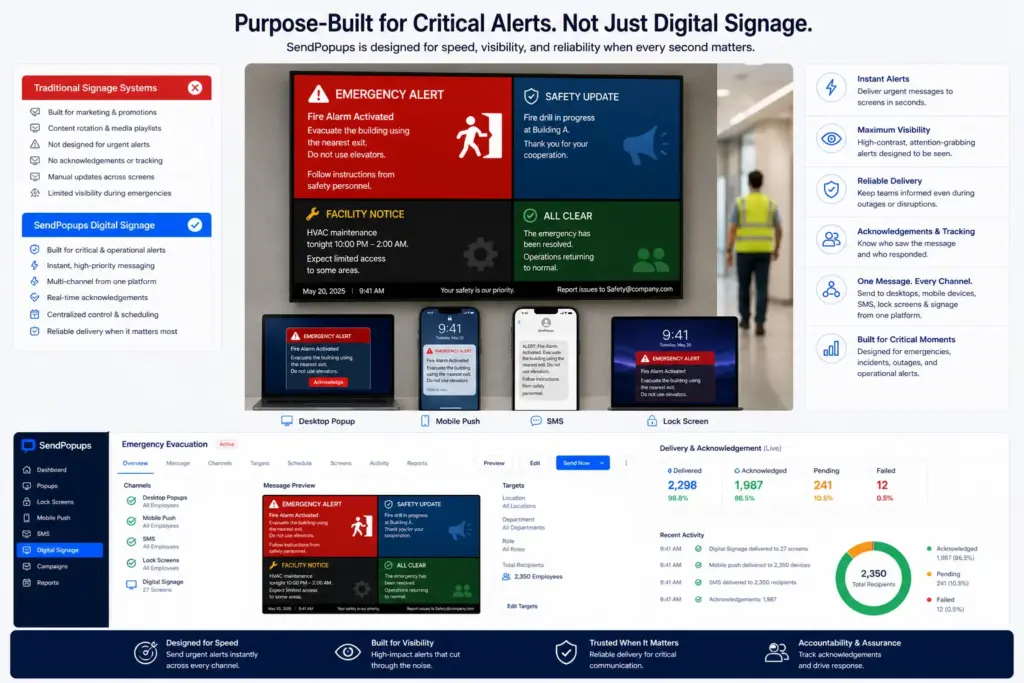
Purpose-Built for Critical Alerts
Most signage systems are built for marketing displays or routine announcements. Their strength is content rotation and media playlists, not urgent operational alerts.
SendPopups can position digital signage around speed, visibility, and reliability during high-stakes situations so shared screens support emergency communication priorities instead of acting as a disconnected display tool.
Real-World Applications of SendPopups Digital Signage
Use digital signage to capture attention in shared spaces whether your workforce is on-site, mobile, or distributed across facilities.
Emergency Evacuation Instructions
Display immediate life-safety instructions in shared spaces to extend your multi-channel emergency communication reach.
IT Outage Notifications
Reinforce real-time outage notifications in operational areas where employees may not have access to desk-based alerts.
Safety and Mandatory Alerts
Increase the visibility of critical safety and compliance-related notifications as part of a centralized, auditable communication process.
Digital Signage Delivery Capabilities within SendPopups
LCD, LED, and Projection Support
Support signage delivery across LCD, LED, and projection displays used in offices, lobbies, facilities, and shared environments.
Recurring Messages
Repeat identical messages across your screen network at intervals you define.
Rich Content
Show multimedia content including video, HTML-like layouts, images, text, and presentation-style content.
Scheduled Messaging
Create content now and schedule it to appear at a later date and time.
Embeddable Video URL Format
Link to externally hosted content such as YouTube or Vimeo using embeddable URLs.
Up to 4 Segments on the Screen
Divide the display into several sections to show multiple content items at once.
Cloud or On-Premise
Position the solution as cloud or on-premise depending on enterprise security and infrastructure needs.
Branding
Use your company logo, colors, and layout patterns to strengthen brand consistency on shared screens.
Frequently Asked Questions
This page positions SendPopups as a multi-channel internal communication and emergency-alert platform where digital signage is one of the optional visibility channels.
Yes. Digital signage is an additional channel you can add to increase message visibility and employee reach.
It is most useful in common areas, production spaces, hallways, and entry zones, especially for IT disruptions, emergency instructions, and safety reminders.
Usually no. Shared-screen signage works best as a complementary channel alongside desktop and mobile alerts for wider reach and centralized control.
It can be very effective when deployed in shared spaces where employees gather or pass through, especially as part of a broader communication mix.
Need Shared-Screen Visibility for Important Internal Messages?
Use SendPopups digital signage to extend alerts to lobbies, hallways, production spaces, and other common areas as part of one centralized communication workflow.
Trusted by Teams That Need Instant Alerts

IT Operations Team, SAIC
SendPopups has transformed how we communicate urgent updates across our teams. Critical alerts now reach everyone instantly, helping us respond faster during time-sensitive situations.

Communications Division, New York State Police
In emergency environments, speed and visibility are essential. SendPopups allows us to deliver immediate on-screen alerts that ensure important information reaches personnel without delay.

Campus IT Services, Vanderbilt University
SendPopups makes campus-wide communication simple and effective. Important announcements and safety alerts appear instantly across devices, ensuring students and staff stay informed.

Technology Operations, FOX
SendPopups helps us distribute urgent updates quickly across our organization. The ability to push instant popup notifications ensures critical messages are never missed.