











We’d love your feedback! Only 3 short questions and 5 min of your time. Take the short survey →

Desktop Alerts That Reach Employees Instantly

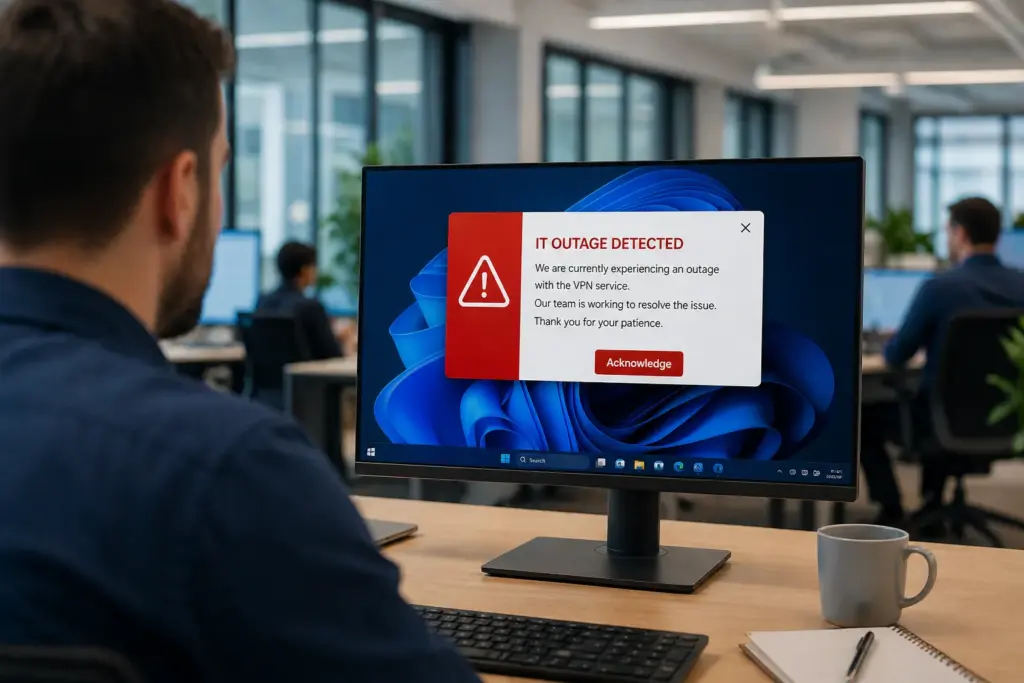
SendPopups helps you deliver urgent messages directly to employee screens with high-visibility desktop alerts, lock-screen notices, scrolling tickers, and acknowledgement-driven notifications.

Ideal for IT outages, emergency communications, policy changes, compliance reminders, and time-sensitive internal updates.

Trusted by Teams That Need Messages Seen Fast

Why Businesses Use Desktop Alerts Instead of Relying on Email Alone

When speed, visibility, and acknowledgement matter, desktop alerts give internal teams a more direct communication channel.

Cut Through Noise

Desktop alerts appear where employees are already working, helping urgent messages stand out from crowded inboxes and chat channels.

Drive Immediate Action

Use attention-grabbing popups, full-screen messages, or lock-screen alerts when something needs to be seen and acted on quickly.

Improve Accountability

Request acknowledgements for policies, outages, training reminders, and critical internal announcements.

Use Desktop Alerts Across Critical Internal Communication Workflows

SendPopups supports urgent, operational, and compliance-driven communication where message visibility matters.

IT Communications

Planned maintenance notices, outage alerts, password resets, VPN issues, and urgent service interruptions.

Emergency Alerts

Fast employee notifications during safety incidents, evacuations, facility disruptions, or urgent business continuity events.

Cybersecurity

Warn employees about suspicious activity, phishing campaigns, account risks, and best-practice reminders.

Compliance

Deliver policy updates, mandatory reminders, and audit-supporting acknowledgement requests.

HR Communications

Share training reminders, deadline notices, benefits updates, and employee-wide announcements.

Company News

Send important leadership updates, operational changes, and internal campaigns that need broad visibility.

Desktop Alert Features Designed for Speed, Visibility, and Response

Message Templates

Create branded desktop alert templates by severity, department, location, or communication type.

Scheduled Alerts

Plan reminders, maintenance notices, training deadlines, and repeatable communication campaigns.

Alert Analytics

Track reads, acknowledgements, and campaign performance for visibility and follow-up.

Flexible Display Options

Use popups, full-screen notices, lock-screen messages, or subtle updates based on urgency.

Integrations

Connect internal workflows, service tools, and operational systems to trigger timely alerts.

Multiple Channels

Extend communication beyond desktop with mobile, email, signage, or ticker-style visibility.

Emergency Mode

Push urgent alerts quickly during critical incidents and reduce message delay.

Targeted Delivery

Send by team, site, role, building, shift, or department for better relevance.

Benefits of Desktop Popups for Internal Communications

Trusted by Teams That Need Instant Alerts

IT Operations Team, SAIC

SendPopups has transformed how we communicate urgent updates across our teams. Critical alerts now reach everyone instantly, helping us respond faster during time-sensitive situations.

Communications Division, New York State Police

In emergency environments, speed and visibility are essential. SendPopups allows us to deliver immediate on-screen alerts that ensure important information reaches personnel without delay.

Campus IT Services, Vanderbilt University

SendPopups makes campus-wide communication simple and effective. Important announcements and safety alerts appear instantly across devices, ensuring students and staff stay informed.

Technology Operations, FOX

SendPopups helps us distribute urgent updates quickly across our organization. The ability to push instant popup notifications ensures critical messages are never missed.

Frequently Asked Questions

A desktop alert is a high-visibility on-screen notification that appears directly on a user’s computer to communicate urgent or important internal messages.

Desktop alerts are more visible and immediate. They help critical messages stand out instead of getting buried in overloaded inboxes.

Yes. This page is structured to support acknowledgement-focused messaging for compliance, policy communication, outage notices, and urgent internal workflows.

IT, HR, compliance, operations, internal communications, safety, and leadership teams can all use desktop alerts to improve message visibility.