













We’d love your feedback! Only 3 short questions and 5 min of your time. Take the short survey →

Engineering Communication

Critical alerts for engineering teams that cannot afford delays

Keep engineers, plant teams, contractors, field crews, and office staff aligned with instant desktop, mobile, signage, and emergency messaging from one platform.

This page template is built for SendPopups and tailored for engineering, manufacturing-adjacent, construction, industrial, infrastructure, and technical operations teams.

Trusted by Organizations Worldwide

Why communication in engineering is difficult

Engineering environments move quickly and rely on coordination across sites, functions, and devices. This section frames the pain points your page should solve.

Distributed workforce

Engineering organizations often span offices, plants, labs, client sites, workshops, and field operations. Critical information must reach the right people fast.

Mixed roles and priorities

Project managers, designers, maintenance teams, HSE leaders, IT, procurement, and contractors need different messages at different times.

Speed matters during incidents

Outages, safety events, project delays, access restrictions, and urgent process changes need more reliable visibility than email alone.

Why SendPopups fits engineering operations

SendPopups helps internal teams publish urgent messages that actually get seen. Use desktop alerts, mobile notifications, signage, and recurring reminders to reduce communication lag and improve response.

It is especially useful where missed information can create operational risk, safety exposure, downtime, or project confusion.

How SendPopups improves communication in engineering

Targeted operational updates

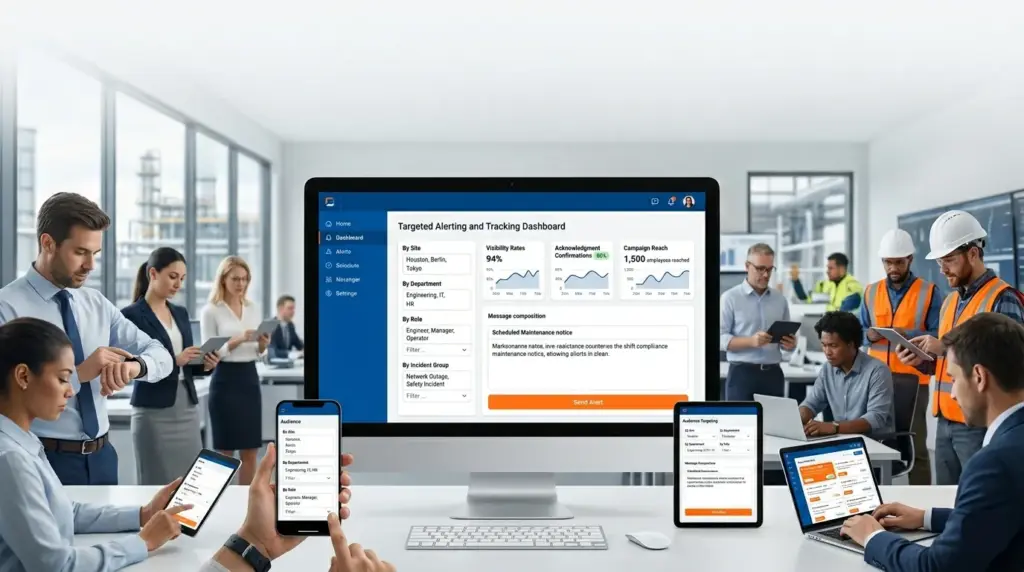
Share maintenance windows, project changes, process updates, quality notices, and site-specific instructions without blasting everyone.

Employee engagement across technical teams

Reinforce key announcements using rich alerts, recurring reminders, short surveys, and digital signage for teams with limited email engagement.

IT and system alerts

Notify affected users about outages, software rollouts, system recovery, network issues, or cyber awareness campaigns across engineering environments.

Safety and emergency communication

Push urgent alerts for evacuations, restricted areas, severe weather, facility incidents, or security concerns that need immediate attention.

See whether SendPopups fits your engineering communication stack

SendPopups tools for engineering communication

Computers

Reach office users, CAD teams, planners, finance, operations managers, and engineers actively working on desktops and laptops.

  • Desktop pop-up alerts
  • Tickers
  • Wallpapers
  • Lock screens
  • Screensavers
  • Email alerts

Mobile

Keep field teams, supervisors, contractors, and remote personnel informed when they are away from their desks.

  • Mobile app alerts
  • SMS escalation
  • Surveys and acknowledgments
  • Team collaboration integrations

Digital signage

Broadcast critical messages in entrances, plant floors, canteens, control rooms, and shared spaces for broader operational visibility.

  • Lobby screens
  • Production floor signage
  • Safety screens
  • Visitor and site notices

Core capabilities of SendPopups

Audience targeting

Send by location, department, role, shift, or incident group.

Schedule in advance

Prepare planned notices ahead of shutdowns, maintenance, or site events.

Acknowledgments

Confirm who saw and accepted critical instructions.

Emergency override

Surface urgent alerts prominently even during busy workdays.

Intranet and link handoff

Use alerts to drive traffic to documents, SOPs, intranet posts, or incident resources.

Reporting

Review delivery, interaction, and response metrics for accountability.

Trusted by Teams That Need Instant Alerts

IT Operations Team, SAIC

SendPopups has transformed how we communicate urgent updates across our teams. Critical alerts now reach everyone instantly, helping us respond faster during time-sensitive situations.

Communications Division, New York State Police

In emergency environments, speed and visibility are essential. SendPopups allows us to deliver immediate on-screen alerts that ensure important information reaches personnel without delay.

Campus IT Services, Vanderbilt University

SendPopups makes campus-wide communication simple and effective. Important announcements and safety alerts appear instantly across devices, ensuring students and staff stay informed.

Technology Operations, FOX

SendPopups helps us distribute urgent updates quickly across our organization. The ability to push instant popup notifications ensures critical messages are never missed.

Benefits of SendPopups for engineering teams

Fewer missed updates

Important notices get more visibility than email-only communication.

Better response speed

Operational teams see urgent messages sooner and react faster.

Lower communication noise

Targeting helps reduce irrelevant announcements and alert fatigue.

Improved safety awareness

Keep procedures, incidents, and emergency instructions visible.

Stronger coordination

Align technical, operational, and support teams during change or disruption.

Frequently asked questions

What kinds of engineering organizations is this page suited for?

This template works for engineering firms, technical operations teams, industrial environments, infrastructure groups, project-based organizations, and mixed desk / field workforces.

Why use popup alerts instead of email only?

Email is easy to miss during busy operations. Popup-style alerts create more immediate visibility for urgent or important internal messages.

Can messages be targeted by location or team?

Yes. The page is written to support audience-based delivery such as by site, department, role, or operational group.

Is this useful for maintenance and outage communication?

Yes. Planned maintenance, downtime notices, system outages, access changes, and project-impacting updates are strong use cases for this page.

Can this support emergency communication?

Yes. The template includes sections for urgent alerts, safety messaging, and high-visibility communication across multiple devices and channels.

What should I add before publishing?

Add real screenshots, customer logos, product UI images, engineering-specific proof, and your preferred CTA flow such as demo request or contact sales.