











Email Notifications for Broader Internal Communication Reach
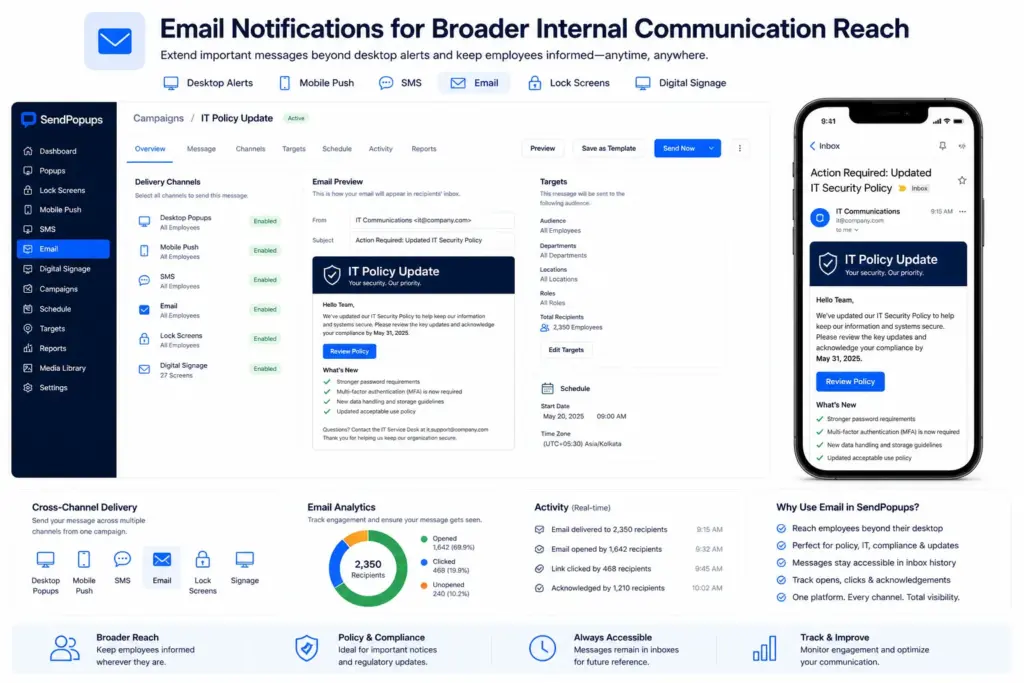
Use SendPopups email notifications to extend important internal messages beyond desktop alerts and keep employees informed even when they are away from their usual devices.
Email works especially well as a supporting channel for policy notices, IT communications, compliance messaging, operational reminders, and important announcements that should remain accessible in inbox history.
Trusted by Teams That Need Better Internal Visibility


Ensure Important Messages Are Seen and Kept
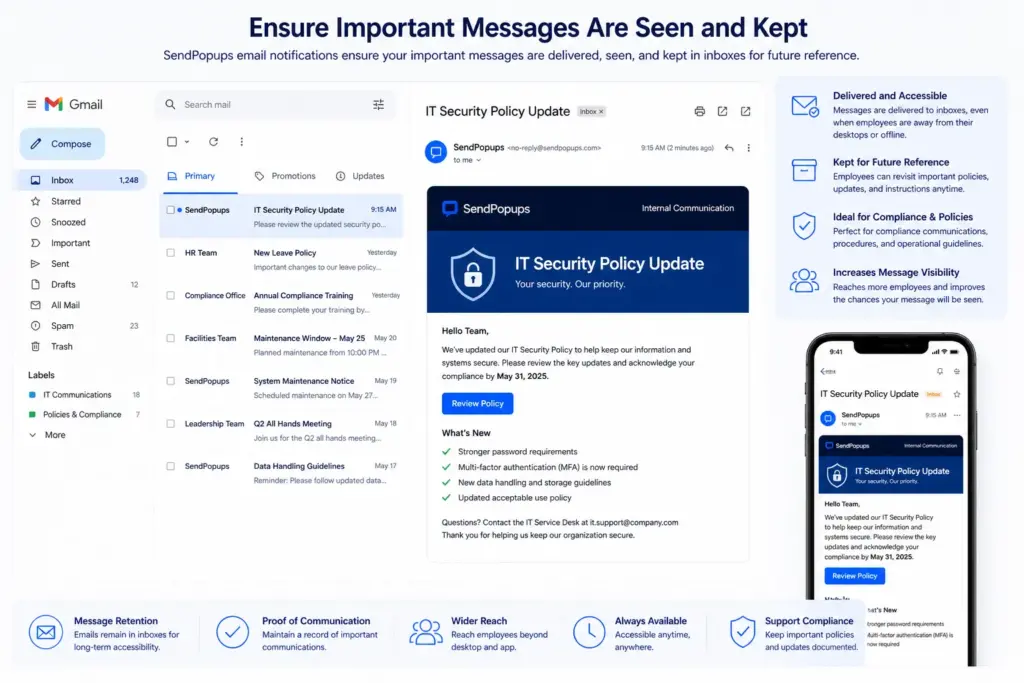
SendPopups email notifications increase the likelihood that internal messages will still be seen even when employees are not in front of their computers or do not have the app open.
They also support message retention by keeping a copy in employee inboxes, which is helpful for policies, compliance communications, operational instructions, and other messages that may need to be referenced later.
Send Thousands of Email Alerts in One Click
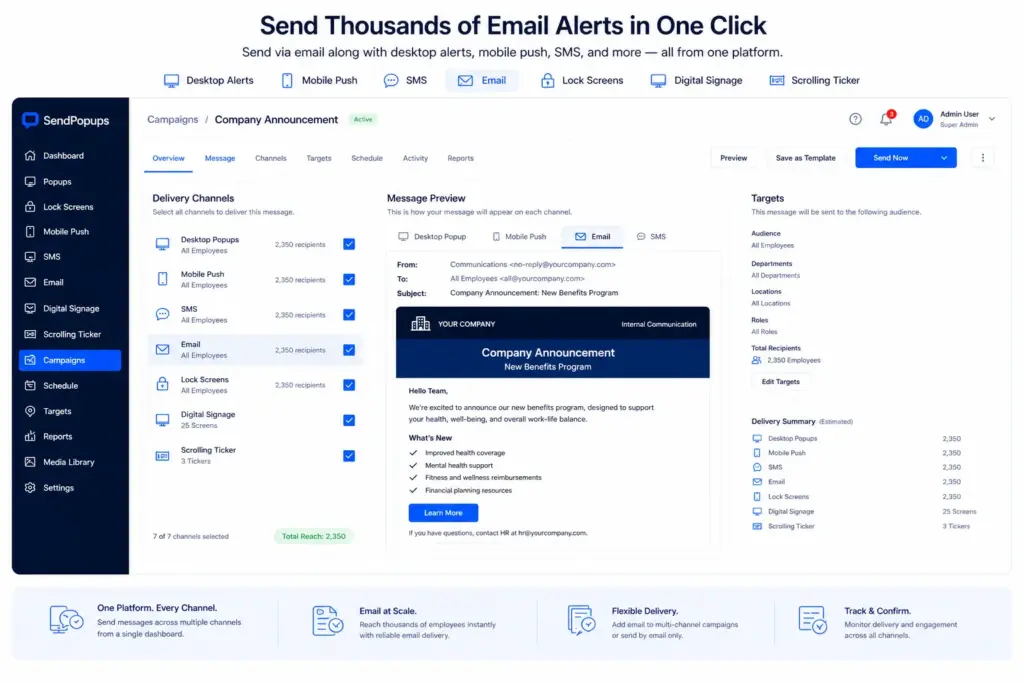
SendPopups can position email as an additional channel inside the same internal communication workflow used for desktop alerts, scrolling tickers, and other notification types.
Instead of copying content into a separate email client, teams can select email as an extra delivery option when creating a message—or choose to send by email only when that is the best fit.
Email Notification Features within SendPopups
Scheduled Messaging
Schedule messages to be sent at a later date and time.
Audience Sync
Use directory-based groups or organizational structures to build employee audiences more efficiently.
Open Tracking
Track when emails are opened so you can see whether recipients engaged with the message.
Targeting
Send to specific teams, departments, individual users, or mixed audience groups.
Recurring Messages
Automate repeat communications for reminders, notices, and routine internal updates.
Send in One Click
Add email as a delivery option alongside other SendPopups channels without rebuilding the message elsewhere.
Benefits of Using Email as a SendPopups Delivery Channel
- Improve visibility by sending the same message across several channels at once
- Save time by selecting email in the workflow instead of recreating the message manually
- Keep a copy of important messages in employee inboxes for later reference
Frequently Asked Questions
Email works best when message history matters, when employees may be away from their normal devices, or when a communication should remain easy to reference later.
Usually no. Email is often strongest as a supporting channel alongside more immediate or visible channels such as desktop alerts, SMS, and mobile notifications.
Yes. This page is structured around audience targeting by team, department, user, and mixed recipient groups.
Yes. Scheduled and recurring communication are included in the feature structure for this page.
Need Better Reach for Important Internal Messages?
Use SendPopups email notifications to extend communication reach, preserve message history, and keep employees informed across more situations.
Trusted by Teams That Need Instant Alerts

IT Operations Team, SAIC
SendPopups has transformed how we communicate urgent updates across our teams. Critical alerts now reach everyone instantly, helping us respond faster during time-sensitive situations.

Communications Division, New York State Police
In emergency environments, speed and visibility are essential. SendPopups allows us to deliver immediate on-screen alerts that ensure important information reaches personnel without delay.

Campus IT Services, Vanderbilt University
SendPopups makes campus-wide communication simple and effective. Important announcements and safety alerts appear instantly across devices, ensuring students and staff stay informed.

Technology Operations, FOX
SendPopups helps us distribute urgent updates quickly across our organization. The ability to push instant popup notifications ensures critical messages are never missed.