











Panic Button System
One-Click Panic Button Alerts for Workplace Emergencies
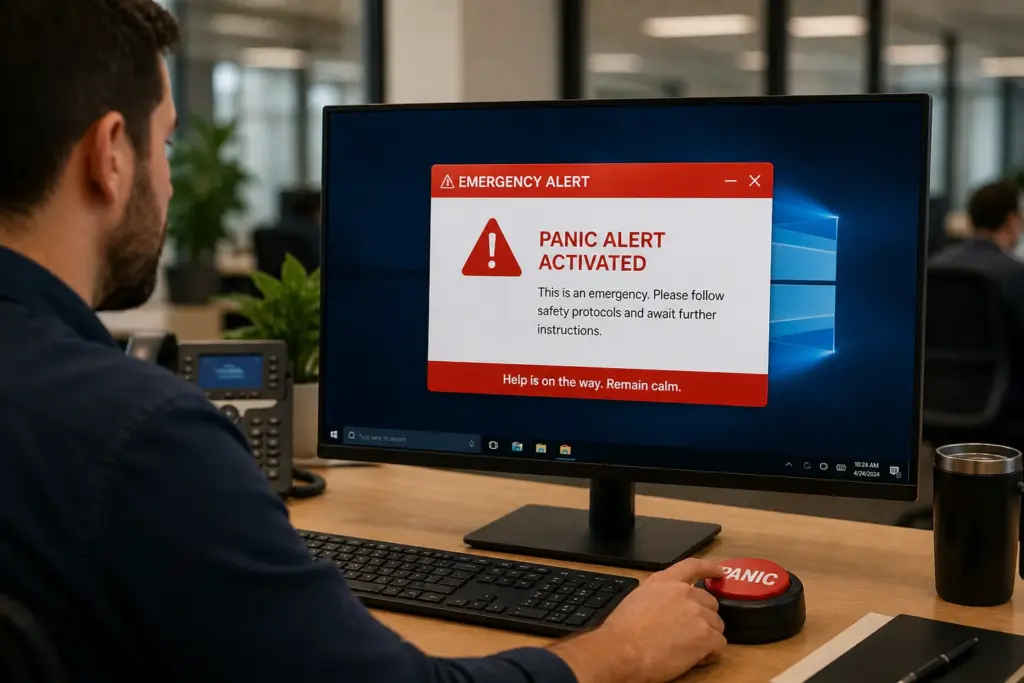
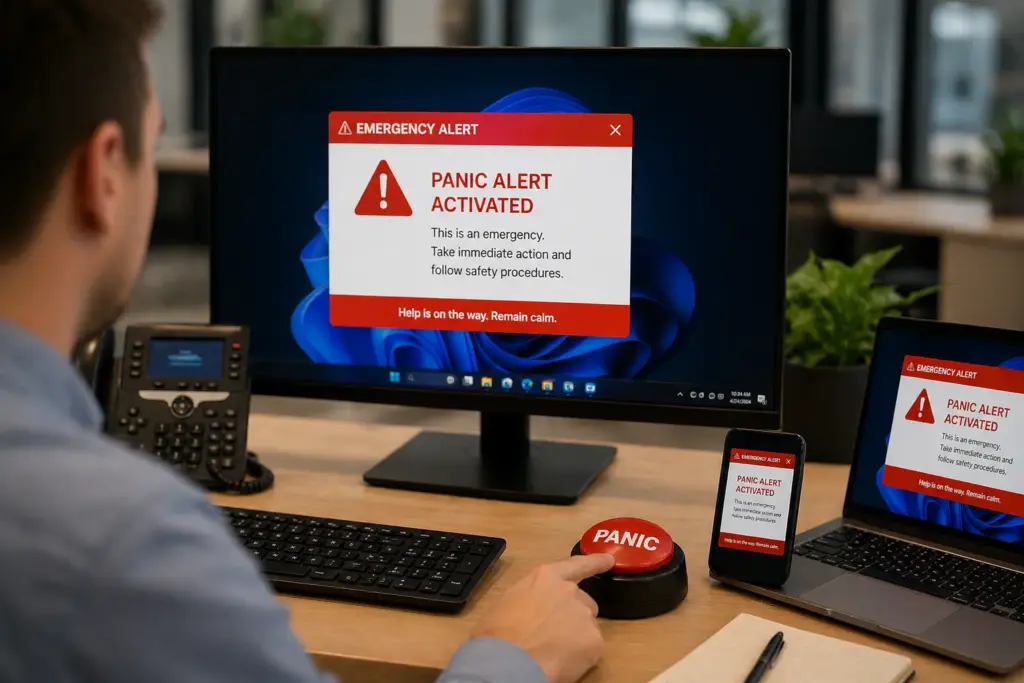
SendPopups gives your team a fast, reliable way to trigger emergency alerts from a panic button shortcut. Launch high-visibility messages across desktop, mobile, and other channels in seconds when urgent action is needed.
Use it for security threats, medical emergencies, facility incidents, evacuations, IT crises, and other time-sensitive internal events.
- Trigger emergency messages in one click
- Target specific teams, sites, or locations
- Collect acknowledgements and track delivery
Compliance note: Position this area for trust badges, certifications, or security claims you can verify on your own site.
Visual Placeholder
Replace this panel with a SendPopups panic-button screenshot, emergency dashboard, or cross-device alert visual.
- One-click panic button in desktop tray or app menu
- Predefined emergency templates and routing
- Live delivery analytics and acknowledgements
- Desktop + mobile alert coverage
What Is the SendPopups Virtual Panic Button?
A virtual panic button is a preconfigured emergency shortcut that lets authorized users trigger instant alerts to the right employees and devices during critical situations.
It can live on desktops, laptops, or mobile workflows, helping organizations move faster when every second matters.
Trusted by Teams That Need Faster Emergency Communication
Use this section for client logos, certifications, compliance badges, or enterprise trust indicators.
Healthcare
Rapid incident communication
Education
Campus emergency alerts
Manufacturing
Facility and plant response
Enterprise
Cross-site crisis visibility
Act Fast with a Panic Button Alert System for Workplace Emergencies
Use pre-defined panic button shortcuts to send urgent internal alerts instantly to staff across desktops, laptops, mobile devices, and other communication channels.
Whether you are dealing with a fire, active threat, medical issue, evacuation, facility disruption, or security breach, SendPopups helps teams launch fast, visible messaging with fewer delays.
Visual Placeholder
Replace with a product visual showing pre-designed emergency buttons on desktop, mobile, or a control console.
Prepare Panic Button Alerts in Advance to Save Time During Critical Events
- Pre-create alert templates for likely emergencies such as intruders, severe weather, medical issues, or facility incidents.
- Use color coding to separate alert levels and make publishing faster during high-pressure moments.
- Add titles, short instructions, evacuation maps, links, or supporting media to guide employees immediately.
- Choose the right audience so only affected teams, floors, buildings, or locations receive the alert.
Choose the Panic Button Setup That Fits Your Organization
Desktop Shortcut Panic Buttons
Set up a panic button shortcut as an icon on a desktop for quick access to a predefined emergency workflow.
- Easy for users to click directly from the home screen
- Familiar shortcut behavior keeps training simple
- Useful for local, desktop-based emergency workflows
- Best for simple desktop-only deployments
Integrated Panic Buttons Across Desktop and Mobile
Pre-created emergency buttons can appear inside the client app or tray menu, giving teams a more flexible and scalable option.
- Add or update buttons centrally from the admin console
- Push changes instantly to connected clients and users
- Manage which users and devices receive each button
- Better for scalable cross-device emergency response
SendPopups Panic Button Features
This section mirrors the reference page’s feature grid and adapts it to SendPopups emergency communications workflows.
Priority Delivery
Emergency messages appear prominently, even when users are busy or away from their inbox.
Full-Screen Takeover
Use urgent alerts that take over the screen when immediate attention is required.
Targeting
Send alerts to the entire workplace or selected teams, sites, departments, or demographics.
Color Codes
Use visual severity indicators so employees instantly understand the type of incident.
Extended Statistics
Track reads, reactions, acknowledgements, and campaign results in real time.
Role-Based Access
Different employees can receive different content based on their role or permissions.
Scheduling and Recurrence
Prepare timed drills, reminders, and recurring communications in advance.
Acknowledgement
Require users to confirm they read and understood the emergency message.
Benefits of Using a Virtual Panic Button for Business
- Act faster during emergencies and reduce delay in internal communication.
- Increase the chance that the right people see the alert immediately.
- Control who receives what message during different kinds of incidents.
- Support accountability with acknowledgement and reporting.
What Teams Say About Fast Emergency Messaging
Swap these placeholders with customer quotes, case studies, or verified proof points from SendPopups.
“We needed a reliable way to get emergency instructions in front of staff without waiting on slower channels.”
Operations Director
Multi-site business
“The ability to preconfigure alerts and target only affected teams made our response process much cleaner.”
Security Manager
Enterprise organization
“Acknowledgement tracking helped us know who saw the message and where we needed follow-up.”
HR & Compliance Lead
Regulated environment
Frequently Asked Questions
Explore More Emergency Communication Tools
Pop-up Alerts
Use screen-takeover notifications when you need employees to stop and pay attention immediately.
Lock Screen Alerts
Show urgent information even when devices are idle or locked.
SMS Alerts
Reach employees who are offsite, traveling, or away from their desks.
Digital Signage
Reinforce emergency messages on shared screens across buildings and common areas.
Need a Faster Way to Launch Emergency Alerts?
Use SendPopups panic button workflows to trigger immediate, targeted, high-visibility communication during critical events.