









Corporate Screensaver
Corporate Screensaver Messaging for High-Visibility Internal Communication
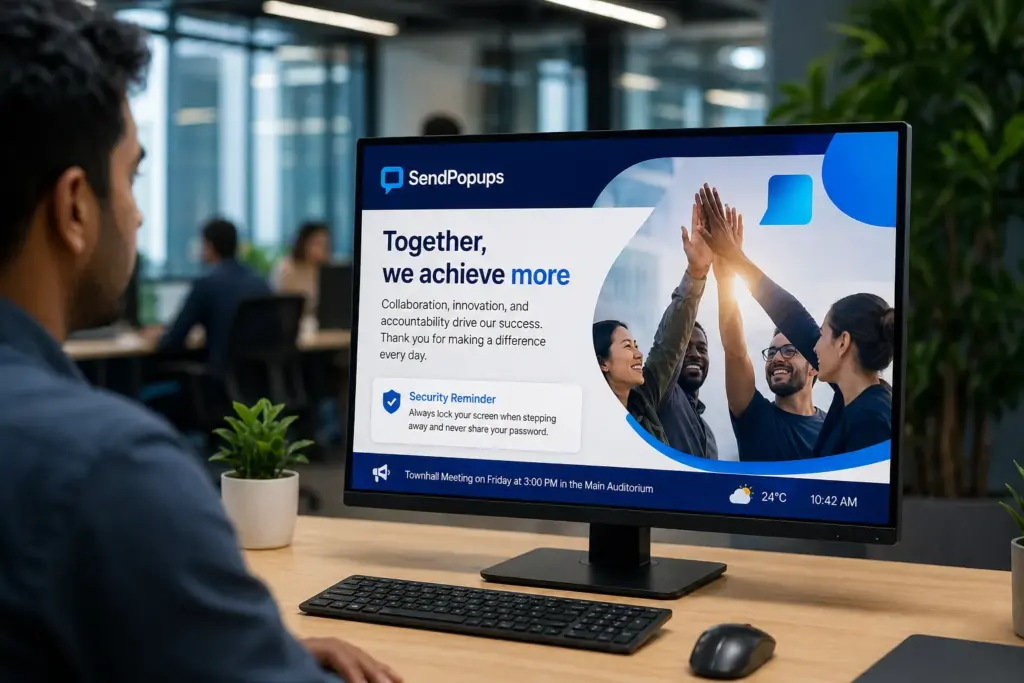
Turn idle employee screens into a branded communication channel with SendPopups corporate screensavers. Share compliance reminders, IT notices, safety content, company campaigns, training messages, and executive updates in a format employees are more likely to notice.
Use images, video-style creatives, slides, branded visuals, or HTML-style message layouts to make key internal messages more memorable.
- Make important internal messages more visible on idle screens
- Support rich visual formats for stronger message recall
- Manage campaigns centrally without heavy IT involvement
Visual Placeholder
Replace this panel with a SendPopups screensaver visual, design mockup, or admin dashboard screenshot.
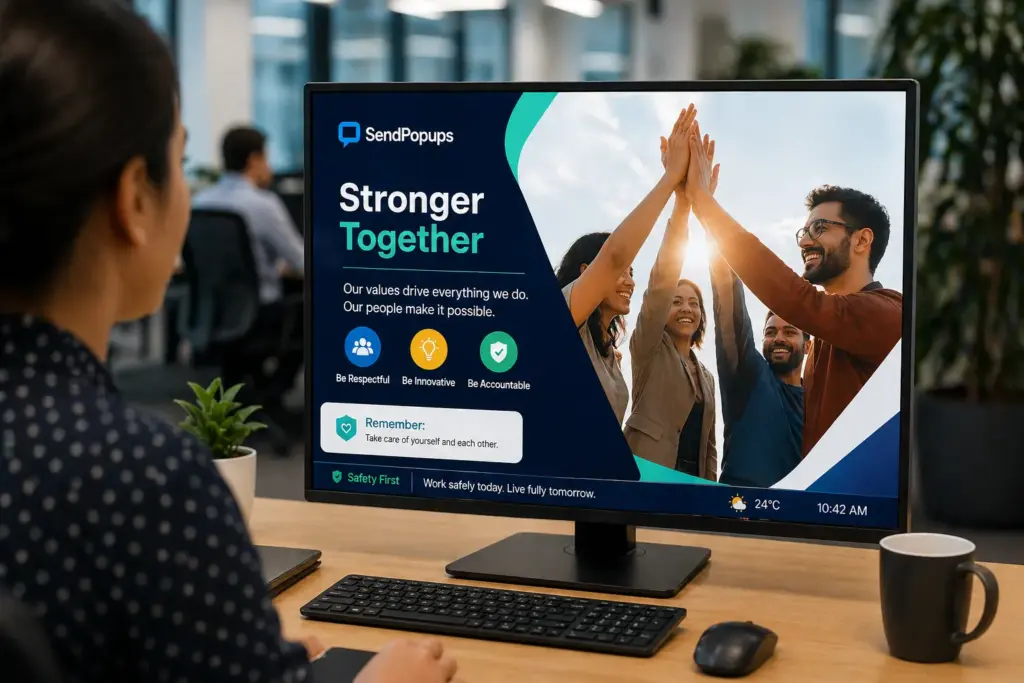
- Idle desktop screen with branded campaign creative
- Compliance or safety screensaver example
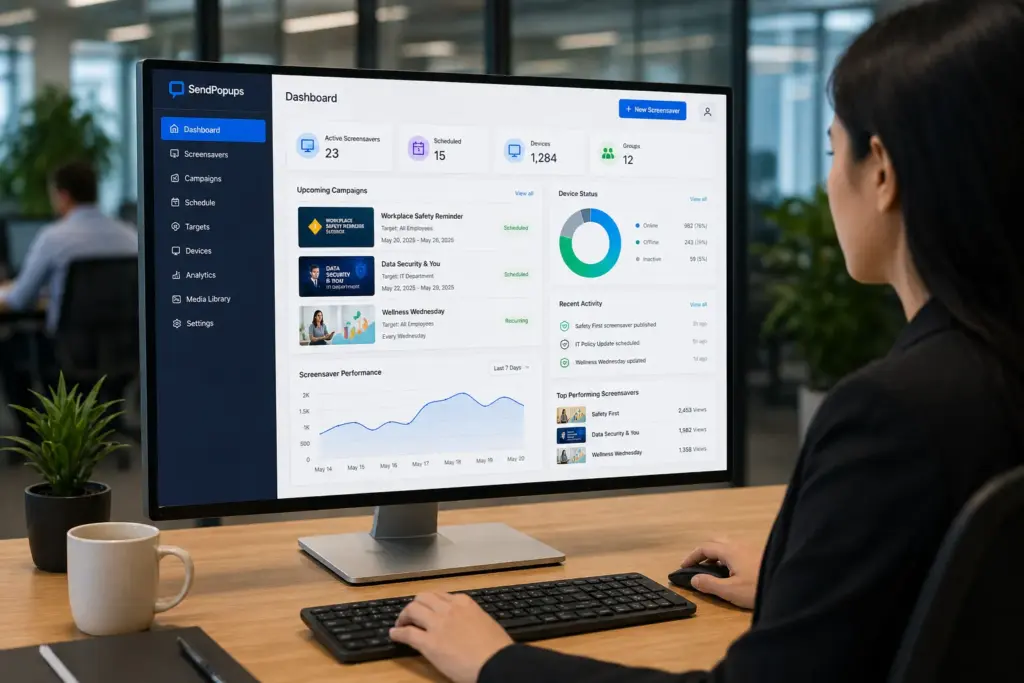
- Dashboard showing scheduling and targeting controls
- Rotating visual campaign preview
Trusted by Teams That Need Better Message Visibility
Use this section for customer logos, brand marks, or proof elements after import.
Healthcare
Visible compliance and safety messaging
Education
Campus updates and staff reminders
Manufacturing
Plant and shift communication
Enterprise
Cross-site internal campaigns
Use Corporate Screensavers to Deliver Powerful and Memorable Messages
Idle screens can become a highly visible communication surface for internal campaigns. Instead of relying only on email or chat, SendPopups can display branded visuals when employees step away from their desks and return.
Use rich creative formats to strengthen message recall, reinforce campaigns, and make safety, compliance, or culture-focused messages more memorable.
Visual Placeholder
Replace with a screensaver campaign visual, brand collage, or desktop mockup showing a full-screen message while the device is idle.
Manage and Schedule Company Screensavers from a Central Dashboard
SendPopups can be positioned as a central control point for screensaver campaigns, helping internal teams schedule, rotate, and manage visual content without depending on complex IT workflows.
- Target messages by department, role, site, or location
- Automate recurring reminders and policy campaigns
- Rotate content so key messages are seen repeatedly
Dashboard Placeholder
Replace with an admin editor screenshot showing screensaver scheduling, audience targeting, or creative rotation settings.
Use Corporate Screensavers to Support Company-Wide Communication
This section mirrors the four-card use-case block on the reference page, adapted for SendPopups.
Compliance and Emergency
Share emergency procedures, evacuation information, assembly points, safety rules, or policy reminders in a full-screen visual format.
Employee Engagement
Reinforce culture campaigns, welcome new hires, highlight milestones, and showcase your brand through visual storytelling.
IT Communications
Promote cybersecurity reminders, planned outage notices, helpdesk details, and new system rollout messages.
HR Communications
Display training opportunities, payroll reminders, holiday notices, deadline prompts, and remote workforce updates.
SendPopups Corporate Screensaver Features for Business Communication
The reference page highlights six core feature blocks, which are reflected here in a SendPopups version.
Multimedia Messaging
Use branded visuals, HTML-like layouts, slide-based content, or video-oriented creatives as screensaver content.
Advanced Targeting
Send different screensaver campaigns to different teams, offices, departments, or locations.
Message Scheduling
Plan campaigns in advance so visual communication aligns with compliance dates, announcements, or internal events.
Priority Control
Maintain the right screensaver content even when users would otherwise try to change or ignore it.
PowerPoint Support
Repurpose slide-based training and internal campaign materials into on-screen visual communication.
Recurring Campaigns
Repeat important messages over time so they are seen more than once and remembered better.
Benefits of Using Corporate Screensavers for Company-Wide Messaging
- Draw more attention to important internal messages and make them more memorable
- Inform, inspire, and reinforce culture in a more visual format
- Target remote, office, or location-specific audiences more effectively
- Reduce information overload by moving some messaging beyond email
- Strengthen internal branding and campaign consistency
More Tools to Enhance Your Internal Communication Strategy
Pop-up Alerts
Use interruptive on-screen alerts when employees need to notice something immediately.
Video Alerts
Deliver richer visual communication directly to screens with moving media and storytelling.
Corporate Wallpaper
Set branded desktop backgrounds that reinforce company campaigns every day.
Mobile App
Extend communication beyond the desk so offsite employees still stay informed.
Why Teams Choose Visual Corporate Messaging
Replace these placeholders with real SendPopups testimonials, proof points, or case study excerpts.
“We needed a simple way to get important information in front of staff beyond email. Visual screensaver messaging gave us another reliable internal channel.”
Internal Communications Lead
Enterprise organization
“The ability to schedule and rotate branded content helped us reinforce compliance reminders without extra operational overhead.”
Compliance Manager
Regulated business
“It was useful for combining culture, safety, and IT messaging into a more visible campaign format.”
Operations Director
Multi-site company
Frequently Asked Questions
Need a More Visual Way to Reinforce Internal Messages?
Use SendPopups corporate screensavers to turn idle screens into a branded communication channel for compliance, culture, IT, safety, and internal campaigns.