










We’d love your feedback! Only 3 short questions and 5 min of your time. Take the short survey →

IT Outage Communication

High-visibility IT outage notifications for planned maintenance and unexpected disruptions

Use SendPopups as the faster way to communicate scheduled downtime, unexpected outages, maintenance notices, service restoration updates, and helpdesk guidance across office, hybrid, remote, and multi-site teams.

Trusted by Organizations Worldwide

Why outage communication matters

Why IT outage notifications need speed, visibility, and clarity

Planned downtime needs early communication

Give employees time to prepare for maintenance windows, move work, save progress, or change workflows before systems become unavailable.

Unplanned outages need immediate visibility

When something breaks unexpectedly, email is often too slow or too easy to miss. The message has to show up where people are already working.

Helpdesks get overloaded fast

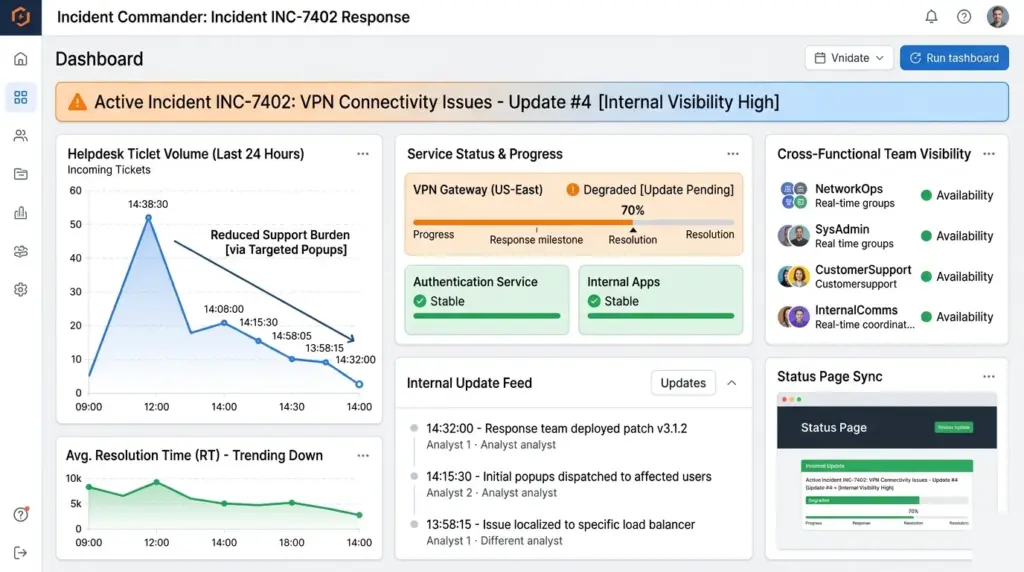
A clear outage alert reduces duplicate calls, repetitive tickets, and confusion by pushing one consistent message to everyone at the same time.

How SendPopups can help

Show how SendPopups supports IT outage response

Desktop pop-up alerts

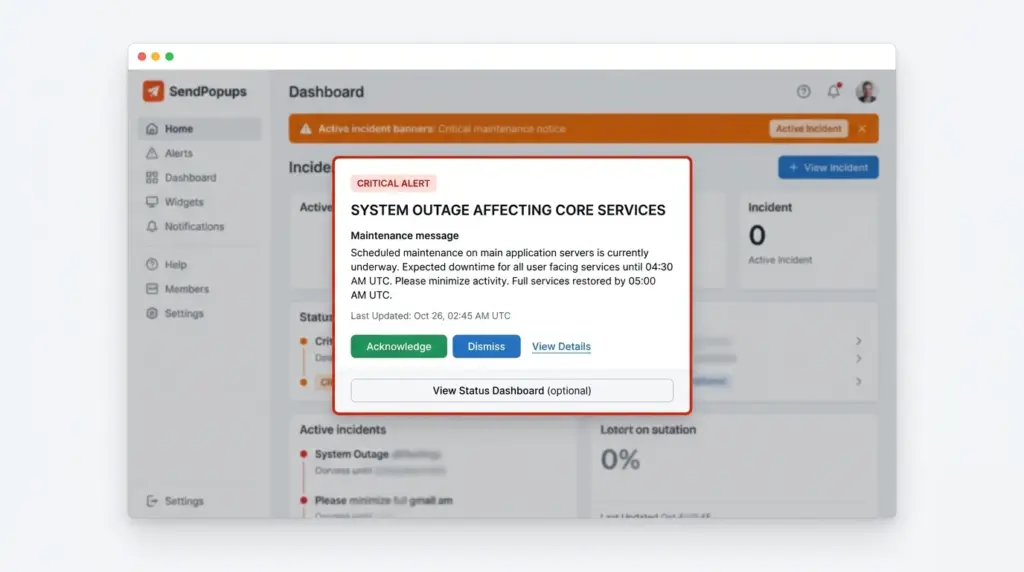
Place important IT notices above the applications employees are already using so scheduled downtime and urgent service interruptions are harder to miss.

Scrolling ticker

Share live status updates and short outage instructions in a lighter-weight format that stays visible without forcing a full-screen interruption every time.

Lock-screen or full-screen delivery

Use more visible formats for critical disruption notices when employees must see a message before continuing their work.

One-click activation

Use pre-built message templates and fast workflows so IT teams can publish communication quickly when time matters most.

Reduce helpdesk load

Prevent repeated calls to the helpdesk during outages

When employees do not know what is happening, they call support, open duplicate tickets, or message multiple teams for updates. This section should connect better outage communication with lower inbound noise for the IT team.

Position SendPopups as a way to leap over crowded inboxes, cut through information clutter, and deliver the same instruction to every affected employee at once.

Trusted by Teams That Need Instant Alerts

IT Operations Team, SAIC

SendPopups has transformed how we communicate urgent updates across our teams. Critical alerts now reach everyone instantly, helping us respond faster during time-sensitive situations.

Communications Division, New York State Police

In emergency environments, speed and visibility are essential. SendPopups allows us to deliver immediate on-screen alerts that ensure important information reaches personnel without delay.

Campus IT Services, Vanderbilt University

SendPopups makes campus-wide communication simple and effective. Important announcements and safety alerts appear instantly across devices, ensuring students and staff stay informed.

Technology Operations, FOX

SendPopups helps us distribute urgent updates quickly across our organization. The ability to push instant popup notifications ensures critical messages are never missed.

Operational value

The importance of communicating IT outages well

SendPopups to connect outage communication with better employee preparedness, less confusion, smoother recovery, and less wasted time for both employees and support staff.

Templates for unplanned outages

Prepare approved message templates in advance so teams only need to update the details when an incident happens.

Advance notice for planned maintenance

Give employees time to pause work, save progress, or plan around scheduled downtime before systems become unavailable.

Updates across office, remote, and hybrid teams

Use a multi-channel approach to reach employees at desks, away from desks, or working across distributed locations.

Multi-channel visibility

Use multiple channels to improve outage-message visibility

SendPopups supports multiple devices and environments, especially for hybrid or distributed operations.

Desktop and laptop alerts

Use prominent on-screen notifications, popups, tickers, wallpapers, or lock-screen-style messages when desktop visibility matters most.

Mobile delivery

Reach employees who are traveling, offsite, away from desks, or working in hybrid and field scenarios with mobile and SMS delivery.

Shared screens and signage

Use shared displays in offices, operation centers, or support spaces to reinforce outage communication beyond email and chat.

Turn outage communication into a faster, clearer, lower-friction workflow

Feature highlights

Core capabilities for IT outage

Targeted delivery

Notify specific departments, sites, business units, or impacted employee groups instead of broadcasting every alert to everyone.

Acknowledgment tracking

Capture who has seen critical outage notices and who still needs follow-up communication.

Scheduling

Plan maintenance notifications in advance and align reminder timing with upcoming downtime windows.

Templates and reuse

Create standard formats for planned outages, emergency disruption, restoration notices, and workaround instructions.

Message expiration

Remove stale notifications after the maintenance window or after systems are restored.

Reporting and analytics

Track delivery, view acknowledgments, and review engagement to improve future outage communication.