
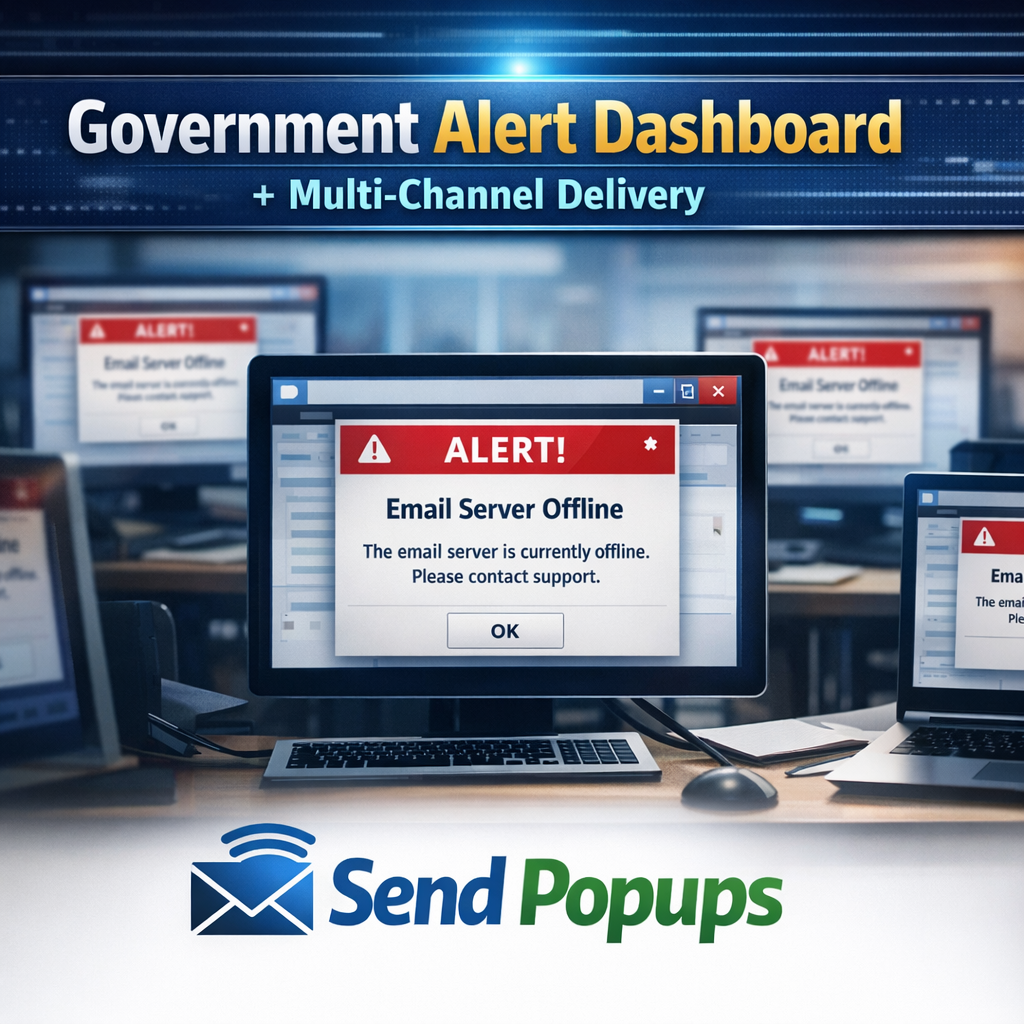










Fast, visible alerts for government teams, agencies, and public sector staff
Help departments, municipalities, authorities, and public service teams communicate urgent updates, planned notices, compliance messages, and crisis instructions across desktop, mobile, and shared screens.
Government organizations are often large, distributed, and operationally complex. Teams need clear communication to keep services running, align departments, respond during incidents, and keep employees informed about priorities, policy changes, and public-facing operations.
SendPopups gives public sector teams a more visible channel than email for urgent and important internal communication.
Fewer missed messages
Use high-visibility desktop alerts, mobile notifications, and signage to reach staff faster than email alone.
Better operational continuity
Support service delivery during incidents, closures, outages, and crisis situations with fast, coordinated internal updates.
Better public sector communication across departments and devices
Use SendPopups to deliver the right message to the right employees at the right time, whether they are at their desks, in the field, in shared offices, or moving between locations.
Use Case 01
Emergency & crisis communication
Push urgent alerts instantly to staff through desktop popups, mobile notifications, and SMS fallback.
Prepare templates and one-click shortcuts ahead of time for fast response.
Collect status updates or acknowledgments from employees during incidents.
Use Case 02
IT and service outage updates
Announce maintenance windows and system changes in a format users cannot ignore.
Send outage instructions, recovery updates, and cybersecurity notices quickly.
Use tickers and recurring notices for evolving service updates.
Use Case 03
HR, policy, and training communication
Share policy changes, workplace rules, benefits updates, and internal notices with read tracking.
Use surveys, quizzes, and video alerts to improve awareness and completion.
Reach employees beyond crowded inboxes.
Use Case 04
Engagement and compliance
Target by department, office, role, or region to keep messaging relevant.
Use acknowledgment buttons to support policy distribution and compliance workflows.
Reinforce campaigns through screensavers, wallpapers, and shared displays.
Government communication tools by channel
Desktop & laptop
Bypass overloaded inboxes with pop-up alerts, scrolling tickers, screensavers, wallpapers, lock screens, surveys, and email support.
Mobile & remote staff
Reach field teams and employees away from their desks with mobile alerts, SMS fallback, surveys, and collaboration integrations.
Digital signage
Use displays in offices, control rooms, break areas, and public-facing spaces to reinforce messages and improve awareness.
Key features for public sector communication workflows
One-click alerting
Trigger urgent notifications immediately when time matters most.
Acknowledgments
Capture proof that messages were read, understood, and actioned.
Recurring alerts
Schedule repeated reminders for ongoing campaigns, deadlines, and notices.
Scheduling
Plan communication campaigns in advance and launch at the right time.
Templates
Create reusable formats for outages, closures, policy notices, and drills.
Targeting
Send alerts by team, location, role, department, or audience segment.
Trusted by Teams That Need Instant Alerts
IT Operations Team, SAIC
SendPopups has transformed how we communicate urgent updates across our teams. Critical alerts now reach everyone instantly, helping us respond faster during time-sensitive situations.
Communications Division, New York State Police
In emergency environments, speed and visibility are essential. SendPopups allows us to deliver immediate on-screen alerts that ensure important information reaches personnel without delay.
Campus IT Services, Vanderbilt University
SendPopups makes campus-wide communication simple and effective. Important announcements and safety alerts appear instantly across devices, ensuring students and staff stay informed.

Technology Operations, FOX
SendPopups helps us distribute urgent updates quickly across our organization. The ability to push instant popup notifications ensures critical messages are never missed.
Why is internal communication important in government organizations?
Government teams need to keep employees aligned on priorities, services, policies, and incidents so departments can continue serving the public effectively.
Which channels work best for public sector internal communication?
A mix of desktop popups, mobile alerts, digital signage, email, SMS, surveys, and collaboration tools usually works best because employees are spread across locations and devices.
Can SendPopups support emergency communication?
Yes. You can create urgent alert templates, target specific audiences, use high-visibility desktop notifications, and combine mobile or SMS channels for broader reach.
How can government HR or compliance teams use SendPopups?
They can distribute policy updates, benefits notices, health and safety information, mandatory acknowledgments, quizzes, and training reminders.
Can messages be targeted by department or location?
Yes. The template is designed around segmented communication so different departments, offices, or staff groups can receive relevant alerts.